Your Mac's terminal,
in your pocket.
Control and observe any terminal on your Mac from your iPhone or iPad — from anywhere in the world. The shells you're already in, live in your hand.
The terminal you're in.
Not a new one.
Every other remote-terminal tool opens a fresh session somewhere. TermBridge hooks the shell layer itself — so it mirrors the exact terminals already running on your desk.
Attach to the shell you're already in
A tiny shell-layer hook wraps every interactive shell in an agent-owned PTY. So the terminal already running on your desk is the one that shows up on your phone — not a fresh login session.
forkpty() — they can only see terminals you started inside them.See your VS Code, Zed & Cursor terminals
Because the hook sits at the shell layer, integrated editor terminals show up too. Watch a build running inside Cursor from the train — no copy-paste, no second session.
Truly multi-device
Pair your iPhone and iPad to the same Mac at once — each device gets its own derived key, no eviction. Pick up a session on whichever screen is in your hand.
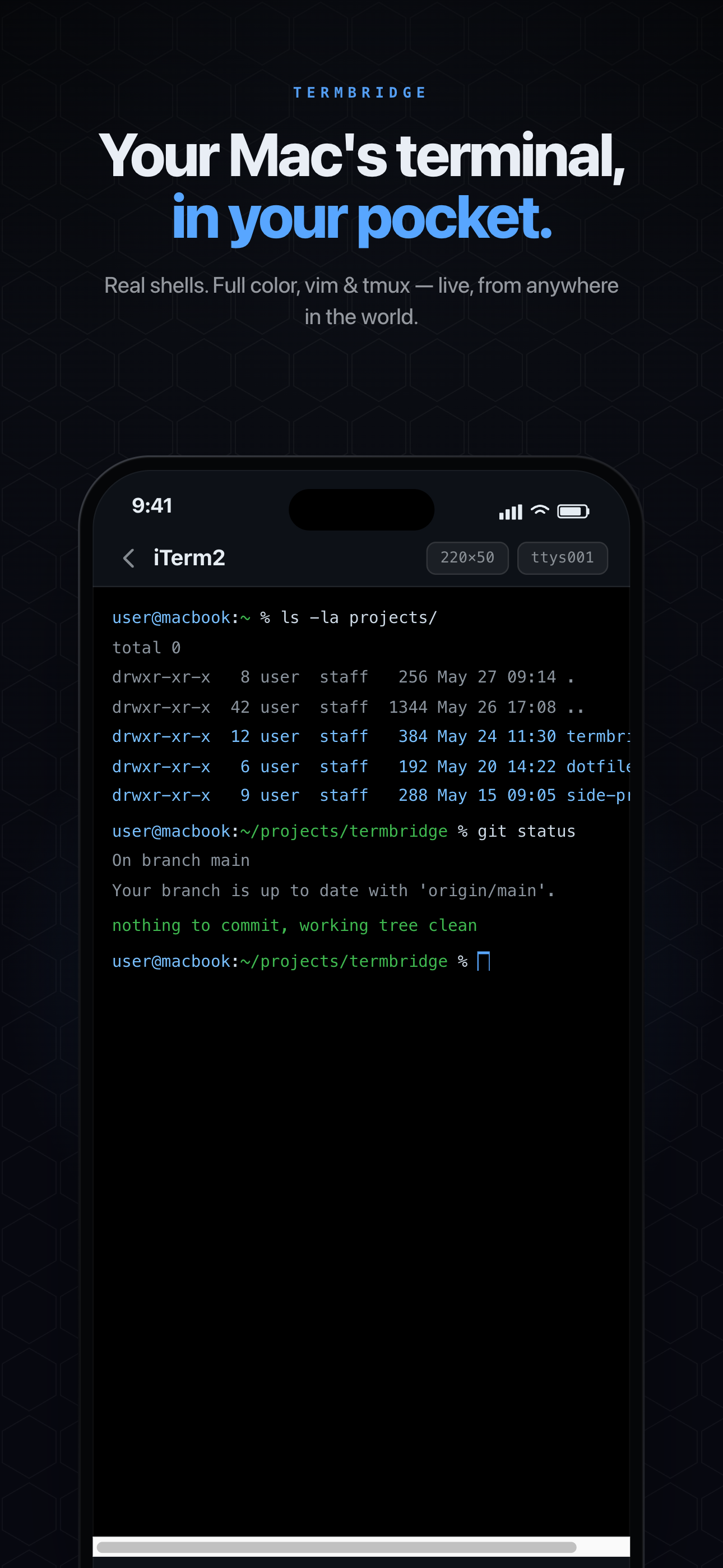
A real terminal — that fits in a hand.
Nothing simplified, nothing faked. The same shell, rendered for your phone.
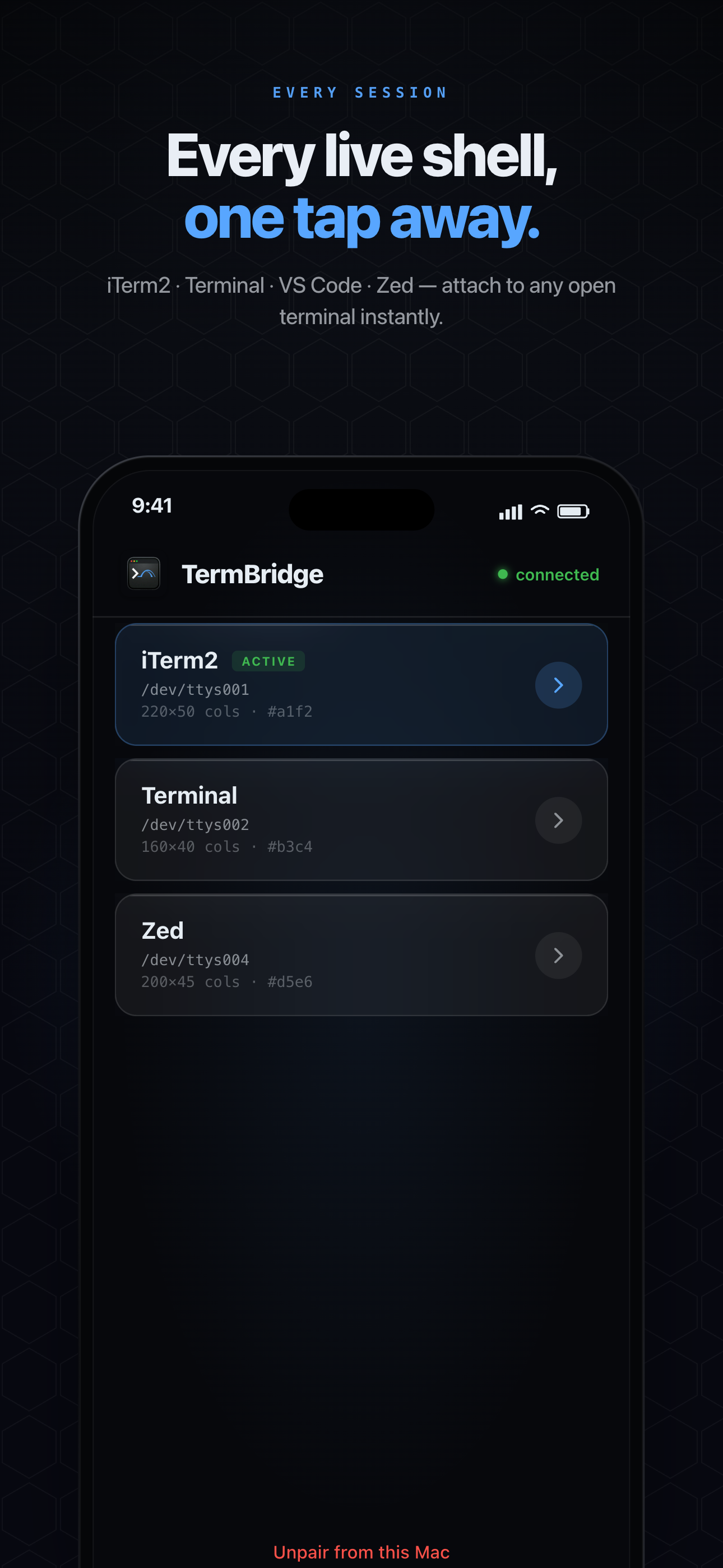
Every live shell, one tap
A live-updating list of every open terminal across all your terminal apps. New shells appear without a refresh — tap to attach instantly.
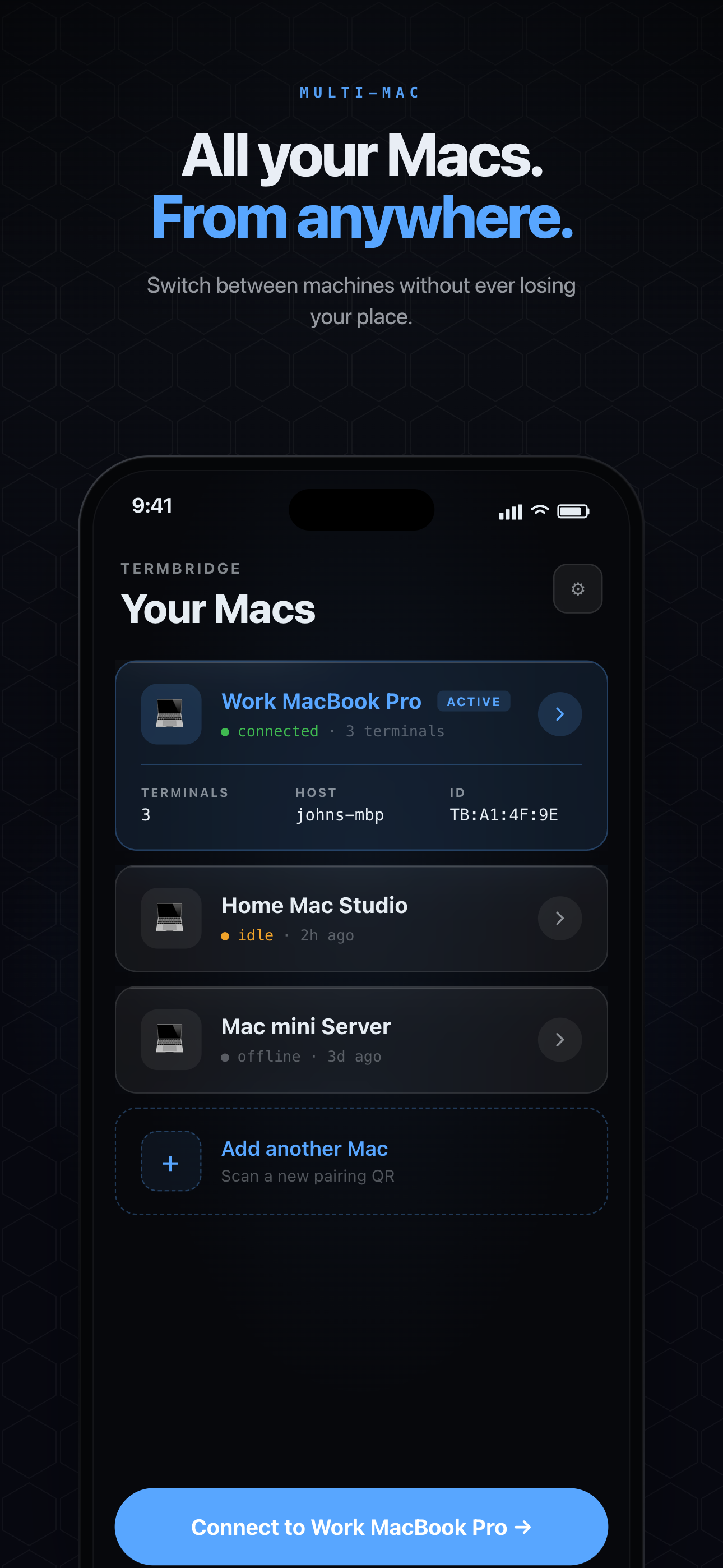
All your Macs
Pair several Macs and switch between them in a tap. Each machine gets its own stable, isolated relay room — they never collide.
Real terminals, full color
Raw VT bytes pass through untouched: 256-color, vim, tmux, htop, progress bars — all render exactly as they do on your desk.
Nothing is lost
A 256 KiB scrollback ring buffer per shell replays everything you missed the moment you re-attach. Detach and the shell keeps running.
Built for thumbs
A modifier-key tray puts Tab, Esc, Ctrl-C and arrows one tap away. An extended bar appears on iPad.
Survives the subway
Exponential-backoff reconnect on both ends, plus an instant reconnect the moment your network flips from cellular to Wi-Fi or the app returns to the foreground.
The relay never sees a thing.
Encryption isn't a setting you turn on — it's the only way TermBridge can work. Keys are derived directly between your devices and never transit the relay.
End-to-end encrypted
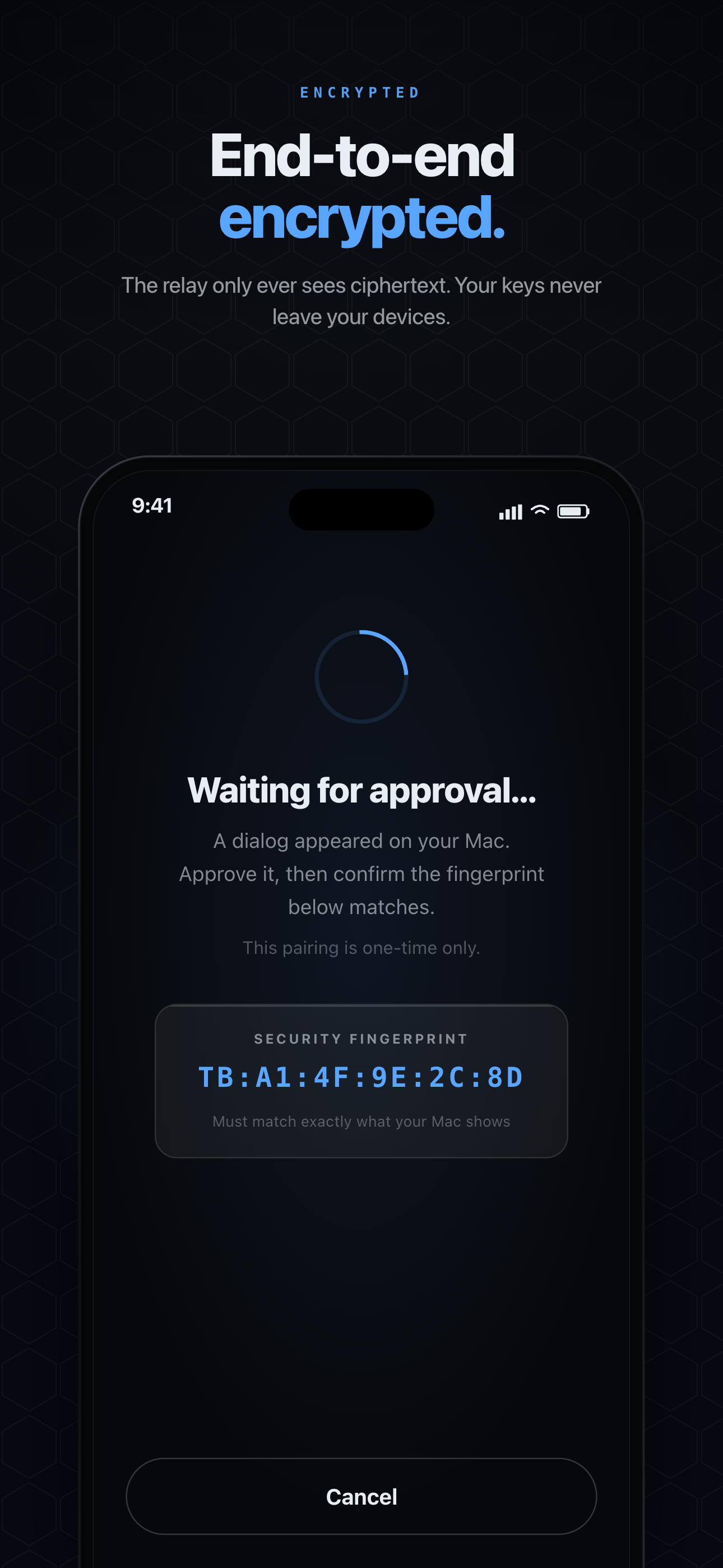
X25519 key exchange + AES-256-GCM per frame. The relay only ever sees ciphertext.
Forward secrecy
A fresh ephemeral key per connection — your static secret never encrypts a single byte of data.
Channel binding
An HMAC over both ephemeral keys blocks a malicious relay from sitting in the middle. Forge it and the handshake aborts.
Keys never leave your devices
Pairing derives the secret directly between phone and Mac. No accounts, no key server, nothing to breach.
Three steps. No config files.
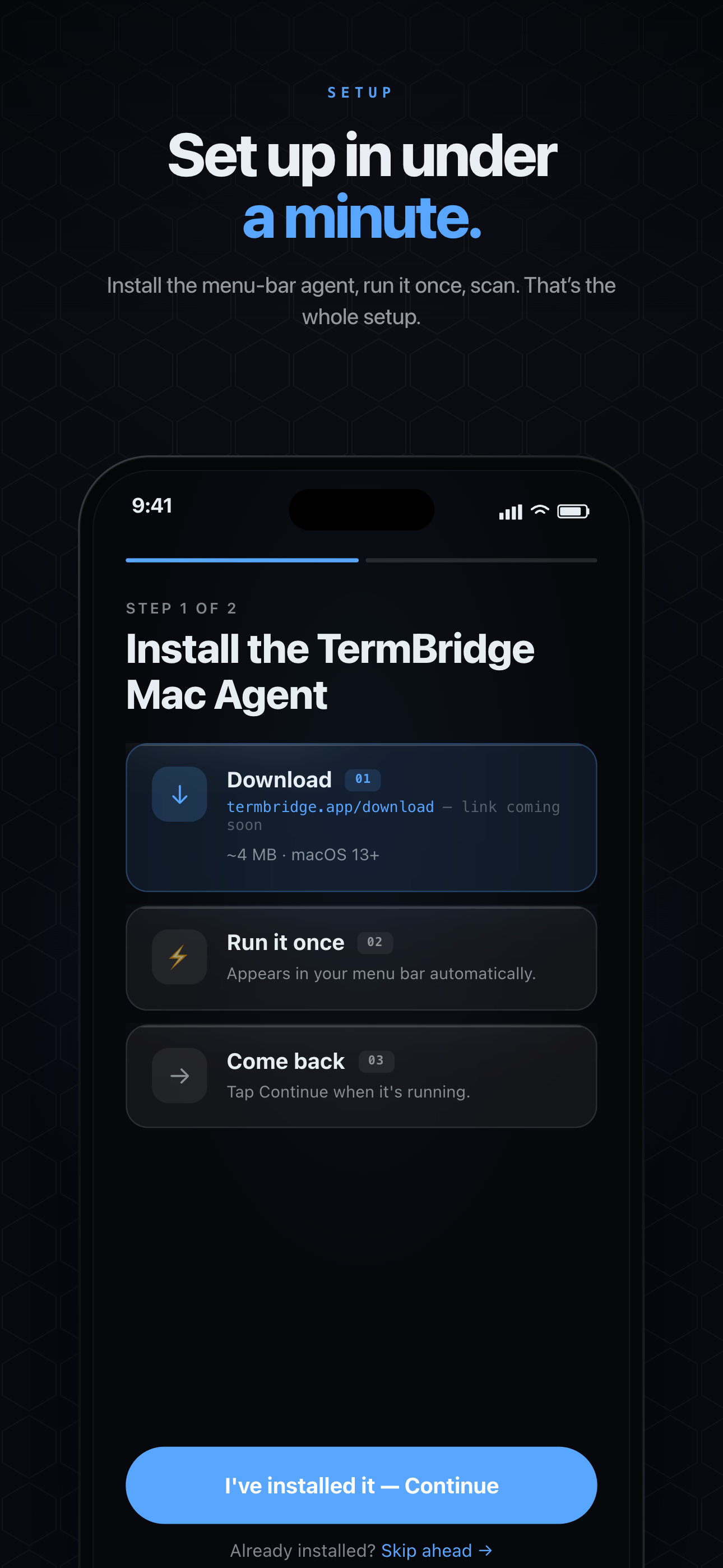
Install the menu-bar app
Drag TermBridge.app to Applications and launch it once. It installs a tiny background agent and lives in your menu bar.
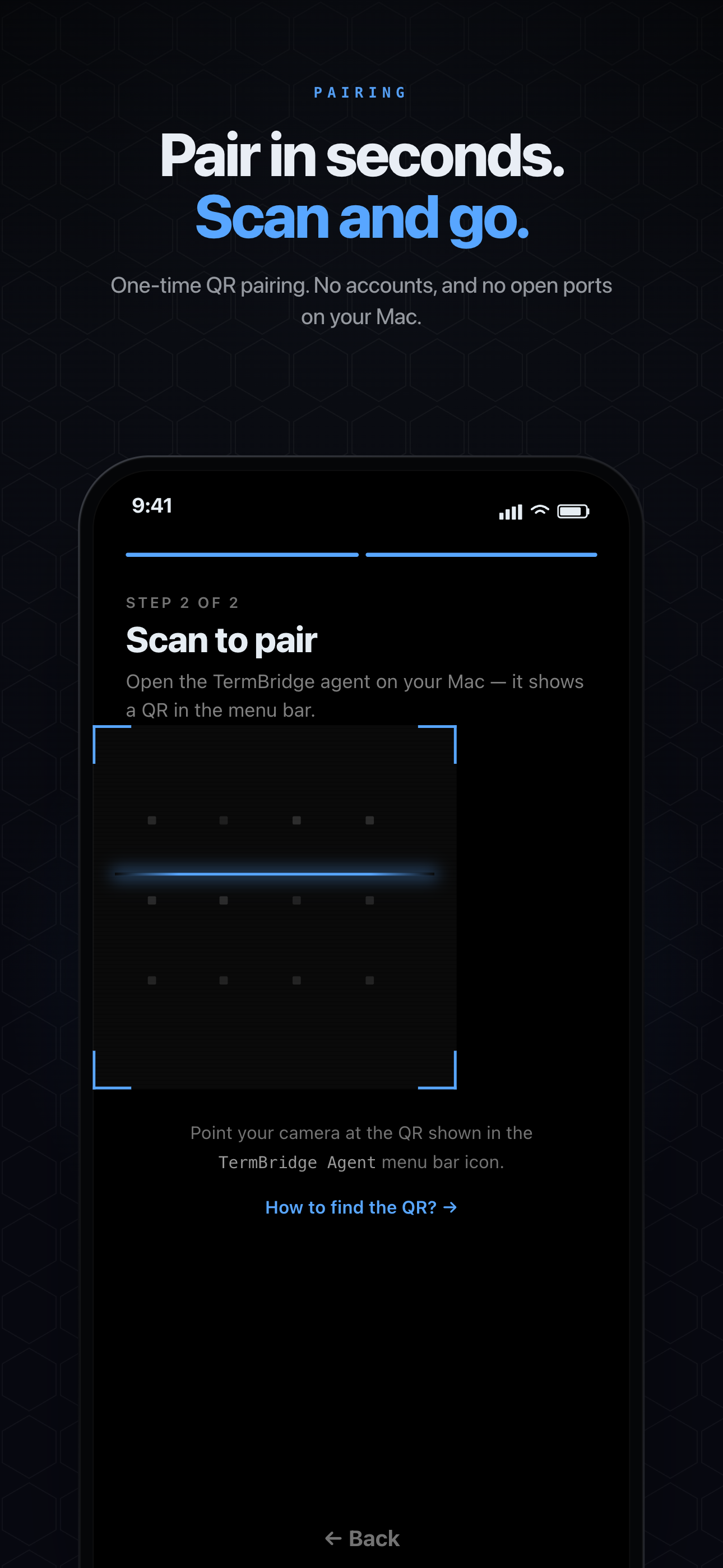
Scan the pairing QR
The menu-bar popover shows a QR. Open TermBridge on your phone and scan it — approve the fingerprint on your Mac and you're bonded.
Attach from anywhere
Your live shells appear on your phone. Tap one and you're in — at home, on cellular, across the planet. No port-forwarding, ever.
Every screen, on real hardware.
Where other tools stop short.
Set against the remote-terminal landscape — session-spawning apps, SSH clients, and on-device shells.
 TermBridge TermBridge | TermOnMac | SSH clients Blink · Termius · Prompt | Termux Android-only | |
|---|---|---|---|---|
| Attach to terminals you're already in | ||||
| See VS Code / Zed / Cursor terminals | ||||
| No SSH keys or port-forwarding | ||||
| No open ports / public IP on your Mac | ||||
| End-to-end encrypted relay | partial | |||
| Pair multiple devices at once | partial | |||
| Switch between several Macs | partial | |||
| Controls your real Mac, from anywhere |
Comparison reflects publicly documented capabilities as of May 2026. Product names belong to their respective owners.
Free to run your Mac today.
v1 ships free. Pro & Lifetime arrive when in-app purchases land — the core attach is never paywalled.
The magic, free. We'll never paywall the core attach.
- 1 Mac · 1 active session
- Attach to any live shell
- Full terminal — color, vim, tmux
- End-to-end encryption
- Scrollback replay & auto-reconnect
For developers living across machines, screens, and agents.
- Everything in Free
- Unlimited Macs & sessions
- iPhone + iPad paired at once
- Watch AI agents — Claude Code · Codex
- iPad 3-panel split view
- Saved one-tap shortkeys
All of Pro, forever. For devs who'd rather not subscribe.
- Everything in Pro
- One payment — yours for good
- All future Pro features
- No subscription, ever
$17.99/yr — about 6× cheaper than Termius's $120/yr, with a one-time Lifetime option for the anti-subscription crowd.
Good questions, answered.
Is this just an SSH client?+
How does it reach my Mac without opening a port?+
Can the relay read my terminal?+
What does it touch on my Mac?+
Which terminals work?+
Is it on the App Store yet?+
.dmg download. A public App Store release is on the way — join the beta to get in early.Leave your Mac on.
Take its terminal with you.
Install the agent, scan once, and your shells are in your pocket — wherever you go.