June 13, 2026 · TermBridge · 3 min read
Manage Multiple Mac AI Agents from iPhone Remotely
Developers often need to monitor long-running AI agent processes on their Macs, but staying at the desk is not always practical. When these agents, like Claude Code or Codex, are running, developers want to check progress or intervene from their iPhone or iPad, especially when managing multiple machines or remote servers.
OpenAI’s Codex now offers mobile remote control, allowing users to manage their Codex sessions and entire Mac from iOS/Android devices. This update enables adding multiple Macs and SSH servers for remote control, significantly enhancing the ability to monitor and interact with AI agents on the go. Many developers are reportedly switching from Claude Code due to these advanced remote capabilities.
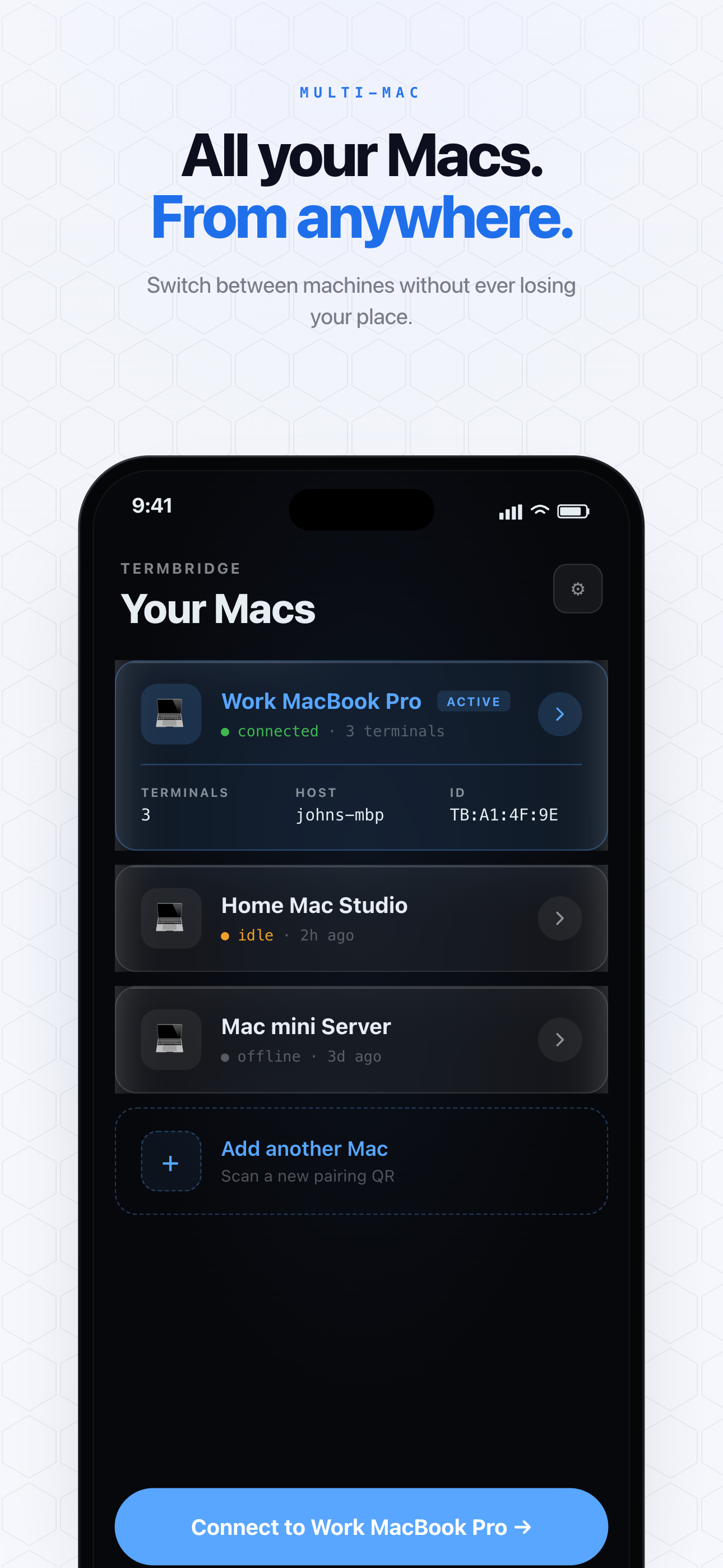
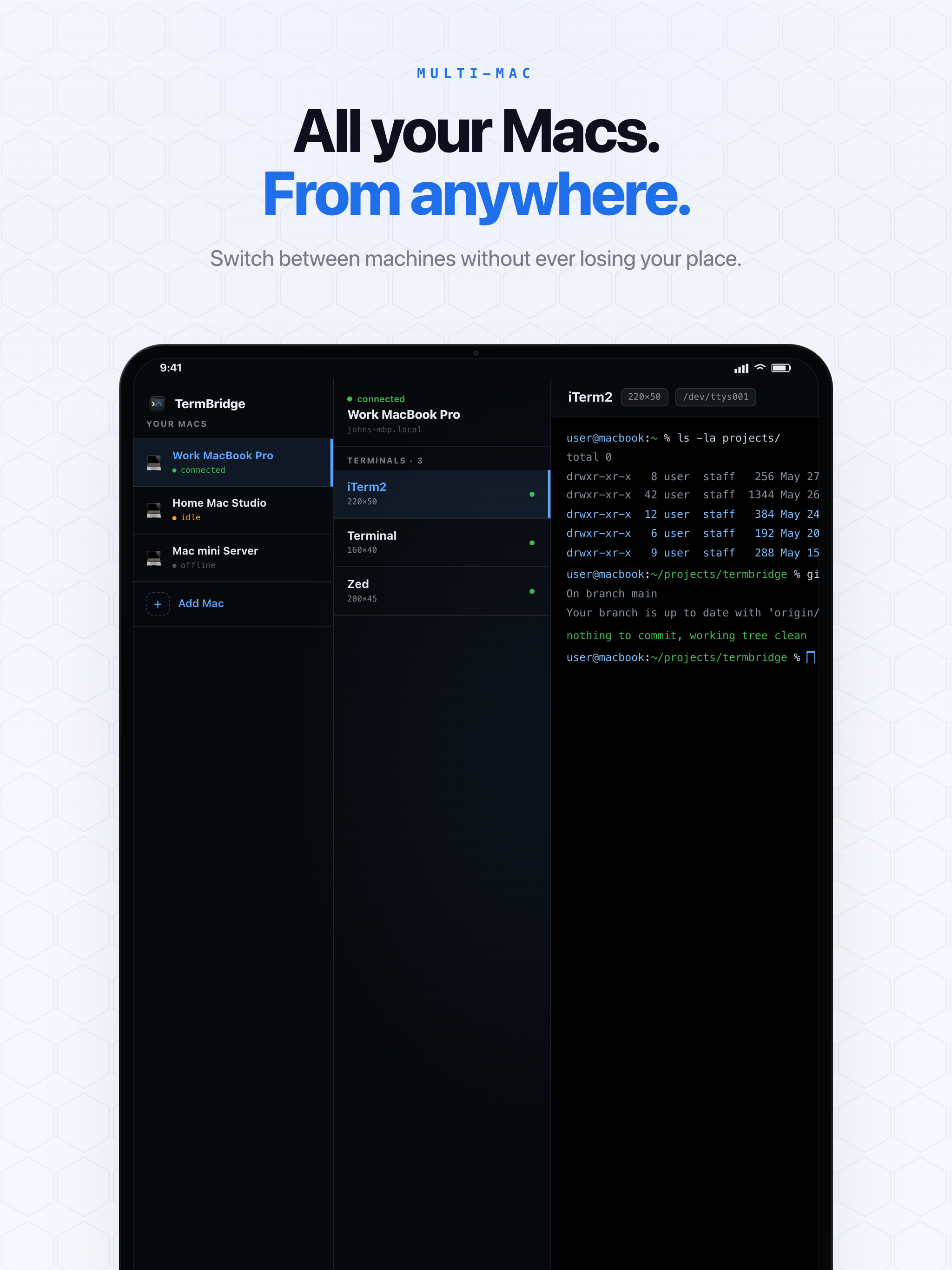
TermBridge directly addresses this need by mirroring your Mac’s terminal sessions, including iTerm2, Terminal.app, or integrated terminals in VS Code, directly to your iPhone or iPad. You can watch output, type commands, and control your Mac’s terminal from anywhere. It allows pairing multiple devices to one Mac and switching between multiple Macs, providing secure remote access for ongoing agent runs.
Managing Multiple Mac AI Agent Runs Remotely
The ThursdAI blog highlights a key challenge: keeping tabs on AI agents across different machines. Developers running Claude Code or Codex on several Macs need a way to check their status without physically moving between desks or logging into each one individually. TermBridge provides this by letting you switch between your paired Macs directly from your iPhone or iPad. This means you can monitor a long-running build on one Mac and a separate agent training on another, all from a single mobile device. The system mirrors your existing shell, so there is no new environment to learn.
Securely Interacting with Your Mac Terminal from Anywhere
The discussion on ThursdAI points to the demand for advanced remote capabilities, specifically the ability to interact with AI agents on the go. TermBridge provides this by allowing you to type commands and view output on your Mac’s terminal from your mobile device. Whether you need to pause a Claude Code process, check logs from a Codex run, or restart a session, you can do it securely. All connections are end-to-end encrypted using X25519 and AES-256-GCM, ensuring your terminal data remains private. The relay only sees ciphertext, adding an extra layer of security for your development work.
Why Developers are Looking for Better Remote Control
The May 14 ThursdAI blog post highlights developers switching from Claude Code due to the advanced remote capabilities offered by other tools. This indicates a clear need for flexible, mobile access to development environments. Developers want to avoid being tied to their desk, especially when supervising AI agents that can run for hours. TermBridge offers a direct solution by extending your existing Mac terminal to your iPhone or iPad. This allows you to stay productive and responsive to your agent’s progress, whether you are in another room or away from your primary workstation. For more on monitoring these agents, see our post on watching Claude Code and Codex agents from your iPhone.
Discussed on ThursdAI blog